Ask a fleet-wide question
Find drivers whose medical cards expire this month. Review the matches, then approve the follow-up requests.

For carriers
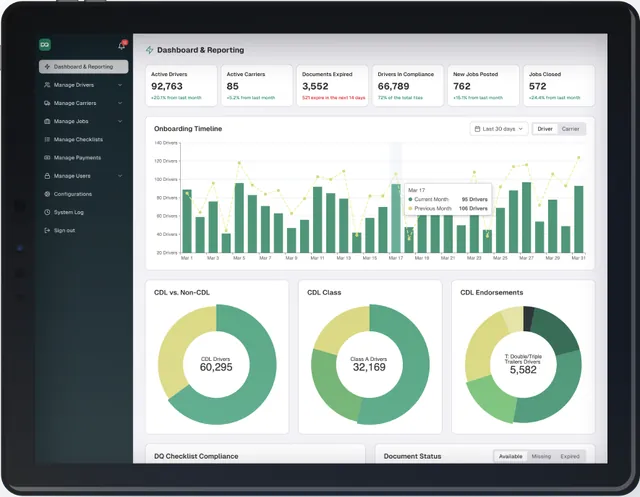
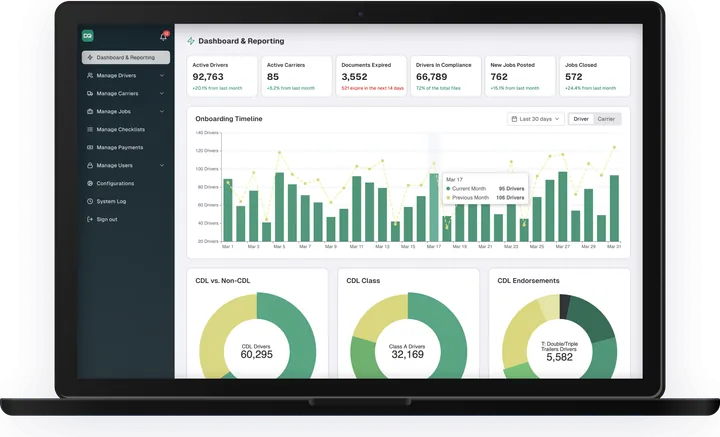
See every driver qualification file in your fleet, review what needs attention, and manage ELP in one carrier portal.
Start with a carrier account, then add your company and first driver.
Carrier plan and trial terms are awaiting confirmation.

Fleet compliance
48 driver files
One carrier portal
Driver files
Fleet commandAlex Morgan
File 017 · Medical card
Luis Garcia
File 018 · Medical card
Marco Reyes
File 019 · Annual review
Renewal request queued
Luis Garcia · File 018

01DQ files and audit readiness1 of 3
Keep qualification documents, expiration dates and review status together for each driver.
Drivers send updates from the app. Your team reviews the document before its status becomes Compliant.
Yes. The carrier reviews submissions in the portal; a file status is a starting point for that review.

02ELP for the whole fleet2 of 3
Carriers and drivers can self-enroll in ELP. Buy license packs and invite drivers from the carrier account.
ELP Training prepares the driver and records a Certificate of Completion. The separate ELP Testing App records the voice test, score, report and certificate.
No. ELP Training and the ELP Testing App are separate products, managed from the same account.

03One account, one portal3 of 3
Move between DQ files, renewal follow-ups and ELP without creating another carrier account.
Keep the driver record at the centre, from the first submission to the file you share for an audit.
Import options and the first recommended task are awaiting product confirmation.
Start with your team
Setup time and the first recommended task are awaiting confirmation.
Start with the carrier account.
Company verification requirements are awaiting confirmation.
Follow the invitation from sent to accepted, or see what needs attention.
AI and MCP for carrier teams
Review matching driver files before approving a renewal follow-up. Confirmed capabilities only; available connections and permissions are awaiting product confirmation.
Find drivers whose medical cards expire this month. Review the matches, then approve the follow-up requests.
Connect carrier tools through MCP with confirmed capabilities only. Available connections and permissions are awaiting product confirmation.
Access around the file
The details matter. These controls are awaiting product confirmation.
Team roles and file-access rules are awaiting confirmation.
Consent and correction options are awaiting confirmation.
Available permissions and allowed actions are awaiting confirmation.

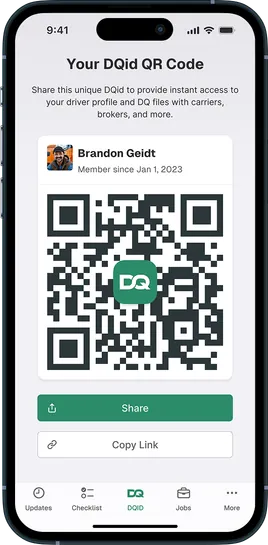
The fleet view
A closer look at the carrier workspace.
Carrier workspace
Fleet board · File 017Driver files
48
Fleet compliance
Audit-ready share
Alex · File 017
Medical card
CompliantLuis · File 018
Annual review
CompliantCreate your carrier account and take the next step with your team.
Carrier plan and trial terms are awaiting confirmation.