








Skip to content
DQid
For drivers and carriers

Every driver file, ready for review.

Collect and renew qualification files, stay audit-ready, and train and test drivers, all in one account.

14-day free trial. Starts when you create an account in the app.

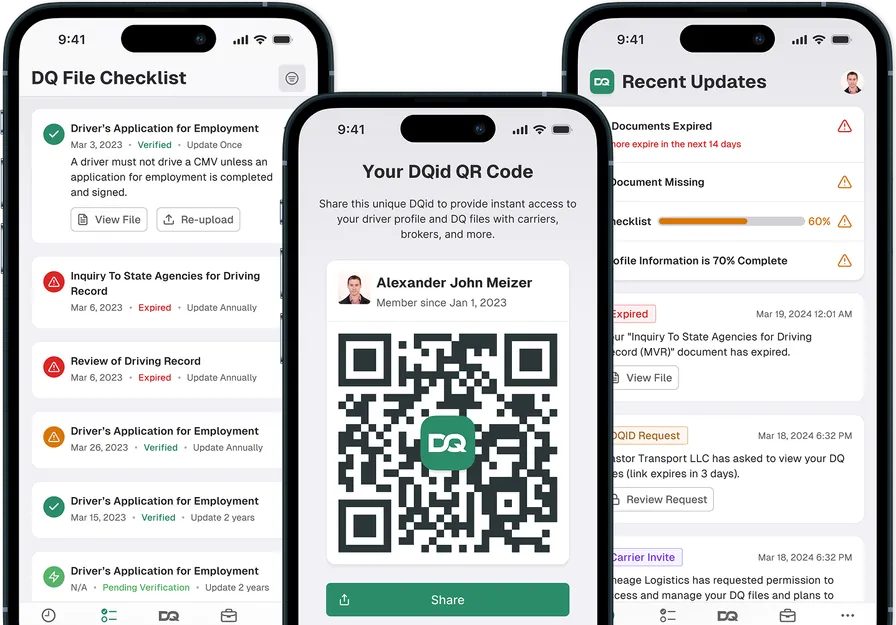
Driver file workflow: a medical-card renewal reminder sent, documents collected and reviewed, a file at 92% compliance, and files shared with a carrier by QR code.

Missing or expired driver documents fail audits.

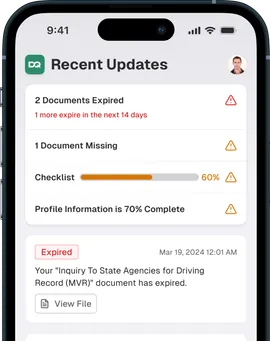
See expirations, missing records and review status before an auditor asks. Drivers send updates from the app while carriers review the same qualification file.

  • Alex Morgan

    Motor Vehicle Record (MVR)

    No record on file

    Missing
  • Daniel Kim

    Commercial Driver's License

    Expired Sep 12, 2026

    Expired
  • Luis Ortega

    Medical Examiner's Certificate

    Expires Nov 4, 2026

    Expiring soon
  • Tom Becker

    Driver's Application for Employment

    Signed Jan 14, 2026

    Compliant
  • James Carter

    ELP Certificate

    No test recorded

    Missing
  • Arjun Mehta

    Annual Review of Driving Record

    Lapsed Oct 1, 2026

    Expired
  • Luis Ortega

    Drug & Alcohol Clearinghouse Query

    Annual query due Nov 20, 2026

    Expiring soon
  • Daniel Kim

    Road Test Certificate

    Passed Jan 22, 2026

    Compliant

Built for drivers and carriers

Drivers finish the file. Carriers stay audit-ready.

Drivers complete their DQ file and Training in the app. Carriers see compliance, audits and AI reports in one portal.

Truck driver in a parked cab doorway using a phone
For drivers

Complete your DQ file. Keep it current.

  • Upload or scan each document from your phone
  • Get renewal reminders before anything expires
  • Share your file with a QR code when someone asks

14-day free trial. Starts when you create an account in the app.

Fleet manager in a depot yard holding a tablet with its back to the camera, delivery vans and trucks behind him
For carriers

See every DQ file. Stay audit-ready.

  • Compliance status for every driver in one view
  • Audit-ready files you can share with a QR code
  • AI reports on what is expiring, missing or overdue
Driver in a green work jacket leaning on the open cab door of a white semi tractor in a truck yard, looking at a phone held low

Every driver file, current without chasing paper.

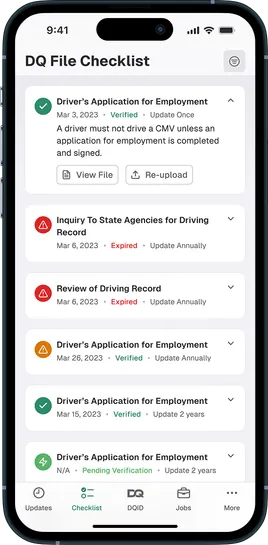
Keep CDL, medical card, MVR and annual review status together in each driver qualification file.

Expiration alerts show what needs attention, and drivers can submit updates from the app.

Do drivers need to learn a new system?

Drivers use the app to scan or upload documents. Carriers review those submissions in the portal.

Driver and carrier manager in front of a red semi tractor and trailer, one showing the other a phone with its back to the camera

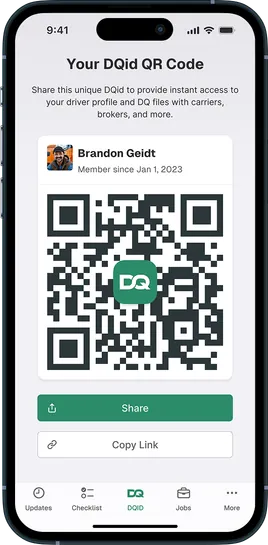
Share a current file with a QR code.

A driver can share a read-only qualification-file summary by QR code instead of sorting paper.

The carrier sees document status and verifies an update before the file becomes Compliant.

Can a carrier still check each document?

Yes. The shared summary keeps each status visible and the carrier completes the review.

Driver in a hoodie and earbuds seated at the open side door of a delivery van, holding a phone with its back to the camera

Train, then test.

Drivers and carriers can self-enroll in ELP Training, complete the course and receive a Certificate of Completion.

The ELP Testing App records the voice test, score, report and certificate in the same account.

Is the training course the same as the test?

No. Training prepares the driver; the ELP Testing App runs and records the separate voice test.

Everything a driver needs, in one app.

Submit qualification documents, follow expiration reminders, share a file by QR code and self-enroll in ELP.

Submit documents from your phone

Scan a card, upload a file or fill the guided form. It goes straight to the carrier for review.

Never miss a renewal

Expiration reminders arrive weeks ahead, so a license or medical card never lapses by surprise.

Share your file and train

Share a read-only file by QR code and self-enroll in ELP training, all in the same app.

Download the app and add your documents.
Your carrier sees every update.

14-day free trial. Starts when you create an account in the app.
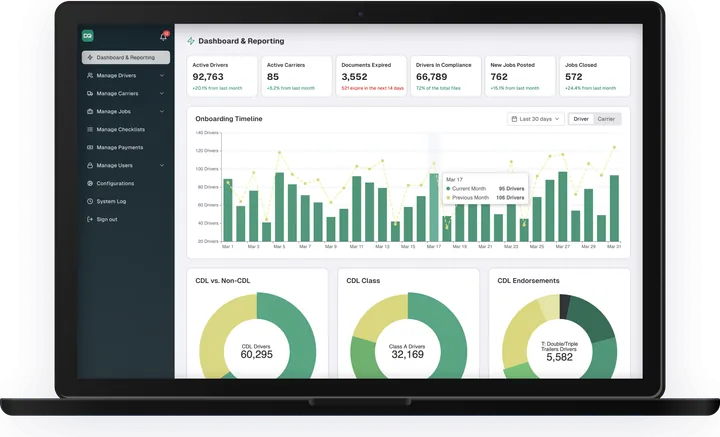
Ask AI about your driver files, and let it act.

Look up driver files, spot what is expiring and send renewal requests from the AI tools your team already uses.

Ask in plain language

Ask which drivers have an expiring medical card, review the answer, then confirm the follow-up request.

Connect through MCP

MCP (Model Context Protocol) is an open standard that lets AI tools connect to approved data sources. Link DQid to the tools you already use, and choose what each connection can read or do.

Control what is shared. See what an auditor sees.

Keep access, driver consent, corrections and AI-tool permissions visible around the driver file.

  • File access

    Show who can open a shared driver file.

  • Driver control

    Keep consent and a correction path with the record.

  • AI-tool permissions

    Limit MCP actions to confirmed capabilities and access.

Compliance reviewer at the open back of a delivery van checking a folder, seen from behind

Questions before you start.

Who is DQid for?
Drivers and carriers. Drivers complete and update their DQ file in the iOS or Android app. Carriers review every driver file and stay audit-ready in the web portal.
How does the 14-day driver trial work?
The free trial starts when a driver creates an account in the app. Plan options and pricing appear in the app before any payment.
How do drivers add their documents?
Drivers scan each document with the phone camera or upload a file they already have, so no scanner is needed. The carrier reviews each submission before the file is marked Compliant.
How do we know when a document is about to expire?
Expiration alerts remind drivers before a license, medical card or other document lapses, and show carriers which files need attention.
How does a driver share their file?
A driver can share a read-only summary of their qualification file by QR code or link. The reviewer sees document status, not the driver’s edit controls, and the share expires after the time the driver sets, from a few hours to several days.

Start with audit-ready driver files.

Start in the driver app or create the carrier account that fits your work.